

Everything everywhere all in one place

Hello, friends!
We’ve officially launched our new home here (markbittman.com will take you there, too). Before you head over there, we’ve got a few things to share to make sure your site experience runs smoothly. (The below steps are for desktop — for mobile users, visual instructions for how to log-in on your phone are at the bottom of this email.)
1. On your computer, when you get to the homepage, click the “log-in” link at the top menu.
2. Enter the email you use for your current Bittman Project Substack subscription.
3. Go to your inbox and click the magic link to log-in.
4. You’re officially logged in!
Make sure you check out our beautiful recipe archive — it’s easily searchable and all the recipes allow you to go into “cook mode” (that is, your screen won’t go dark when you’re cooking from a recipe that’s on your computer) and keep your own (private) notes within (scroll down in any recipe and it will show “[your name]’s recipe notes”). Plus, recipes are now much easier to print.
A note: We still have a ton of content to add, and we’ll be doing that in the upcoming days and weeks. If you have a favorite recipe that is not yet on the website, fear not. Email us — members@bittmanproject.com — with what’s missing and we’ll get it uploaded in no time.
If you have technical questions, check out our FAQ here — it should help. If you still can’t find your answer, again, email us, and we’ll get back to you ASAP.
One more thing: You can now refer a friend and get credit towards your own membership. More details on that here.
Lots more to come. We’re so excited to be here with you. Mobile log-in instructions below.
LOVE,
The Bittman Team
To log in to the new site via mobile:
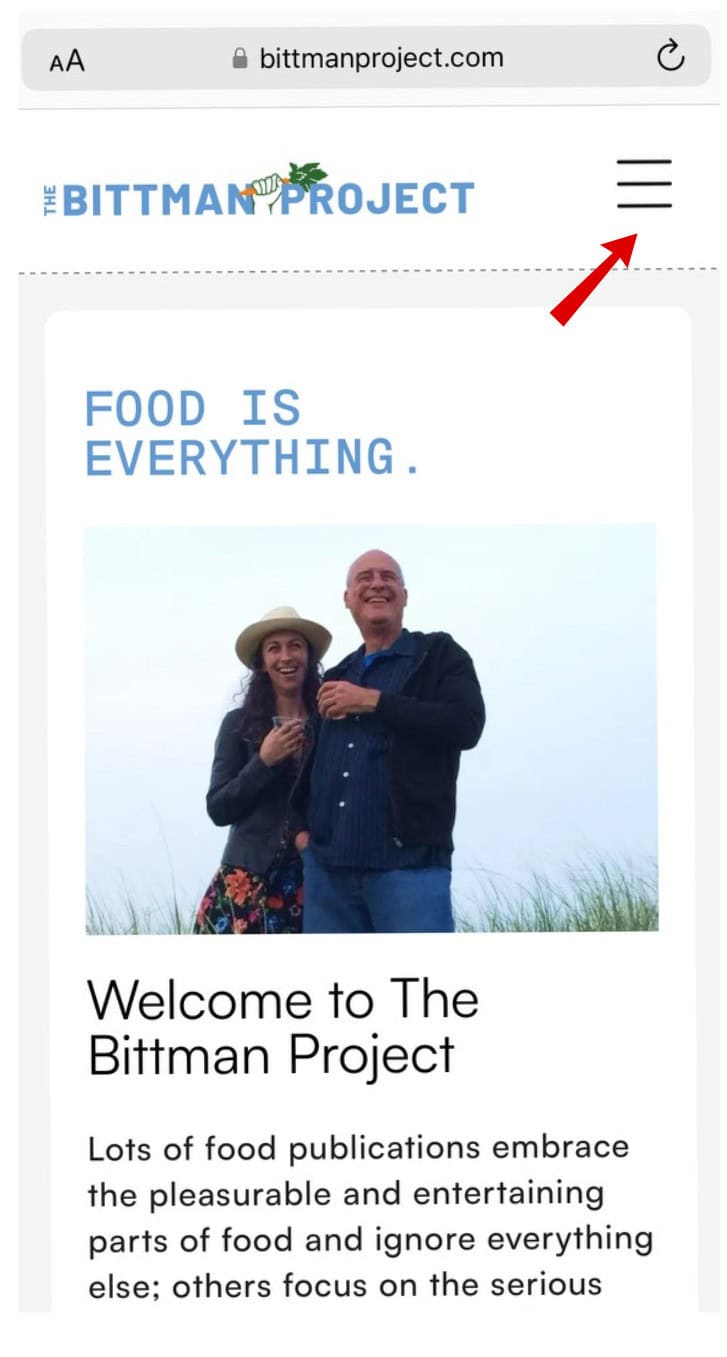
1. When you get to the homepage, click the three lines on the top right:
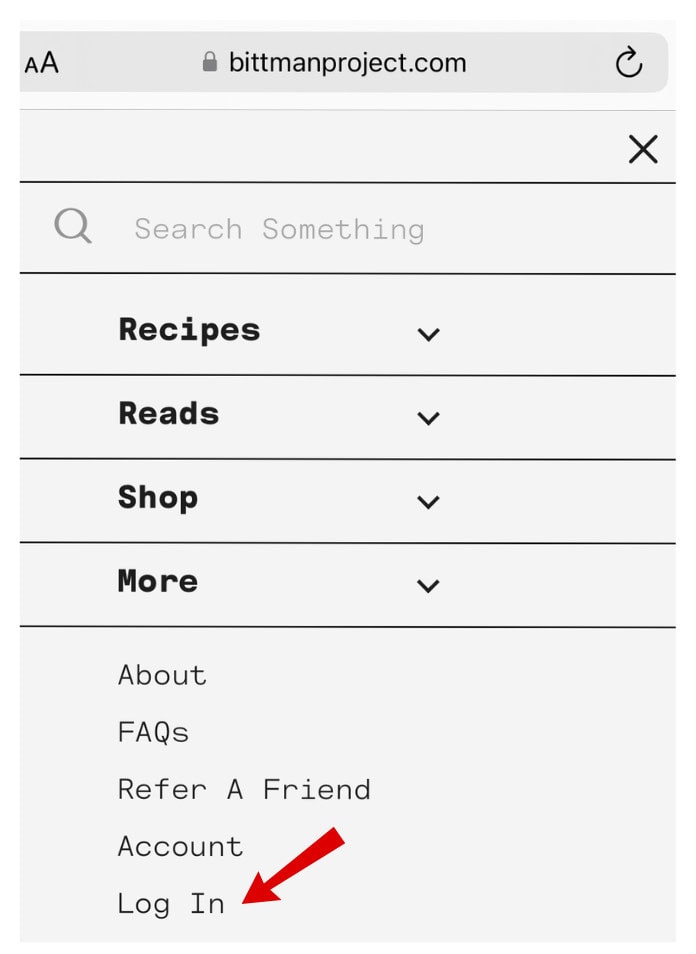
2. Click “log in.”
3. Go to your inbox and click the magic link to log-in.
4. You’re officially logged in!
1 Comment